About English Wordz
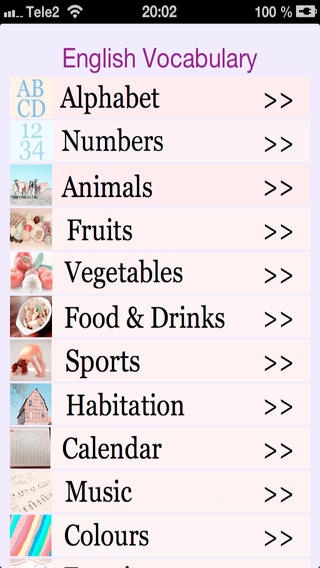
In this app you can see and listen to the English alphabet, numbers and many common words used in the English language. The words are written in English and when entering a new page you hear a sound and see a picture that...
In this app you can see and listen to the English alphabet, numbers and many common words used in the English language. The words are written in English and when entering a new page you hear a sound and see a picture that tells you what you are looking at. The common word categories that have been included apart from the alphabet and numbers are the following: Animals Fruits Vegetables Food and drinks Sports Habitation and furniture as well as household appliances Calendar, weekdays and months Music Colors Emotions Body organs and parts Family relationships Nature Transportation. The list can possibly get longer but at present time many of the nouns that are used in every day language are found here. The creator of this app hopes that it will be a useful tool to teach children and adults some of the common words in the English language.
Requires iOS 5.0 or later. Compatible with iPhone, iPad, and iPod touch.
Previous Versions
Here you can find the changelog of English Wordz since it was posted on our website on 2016-10-18 02:14:52.
The latest version is 1.0 and it was updated on 2024-04-22 17:15:01. See below the changes in each version.
English Wordz version 1.0
Updated At: 2012-11-28
Disclaimer
Official App Store Link
We do not host English Wordz on our servers. We did not scan it for viruses, adware, spyware or other type of malware. This app is hosted by Apple and passed their terms and conditions to be listed there. We recommend caution when installing it.
The App Store link for English Wordz is provided to you by apps112.com without any warranties, representations or guarantees of any kind, so access it at your own risk.
If you have questions regarding this particular app contact the publisher directly. For questions about the functionalities of apps112.com contact us.